Your art stays yours.
No account. No data collected. Your drawings are saved on your own device, and you can draw without an internet connection. Nothing you make leaves your hands unless you share it, and it will never be used to train AI.
Draw and paint on your Android tablet. A pen, a canvas, and nothing in the way.
Get it onGoogle PlayFree to download. Tablets and phones.
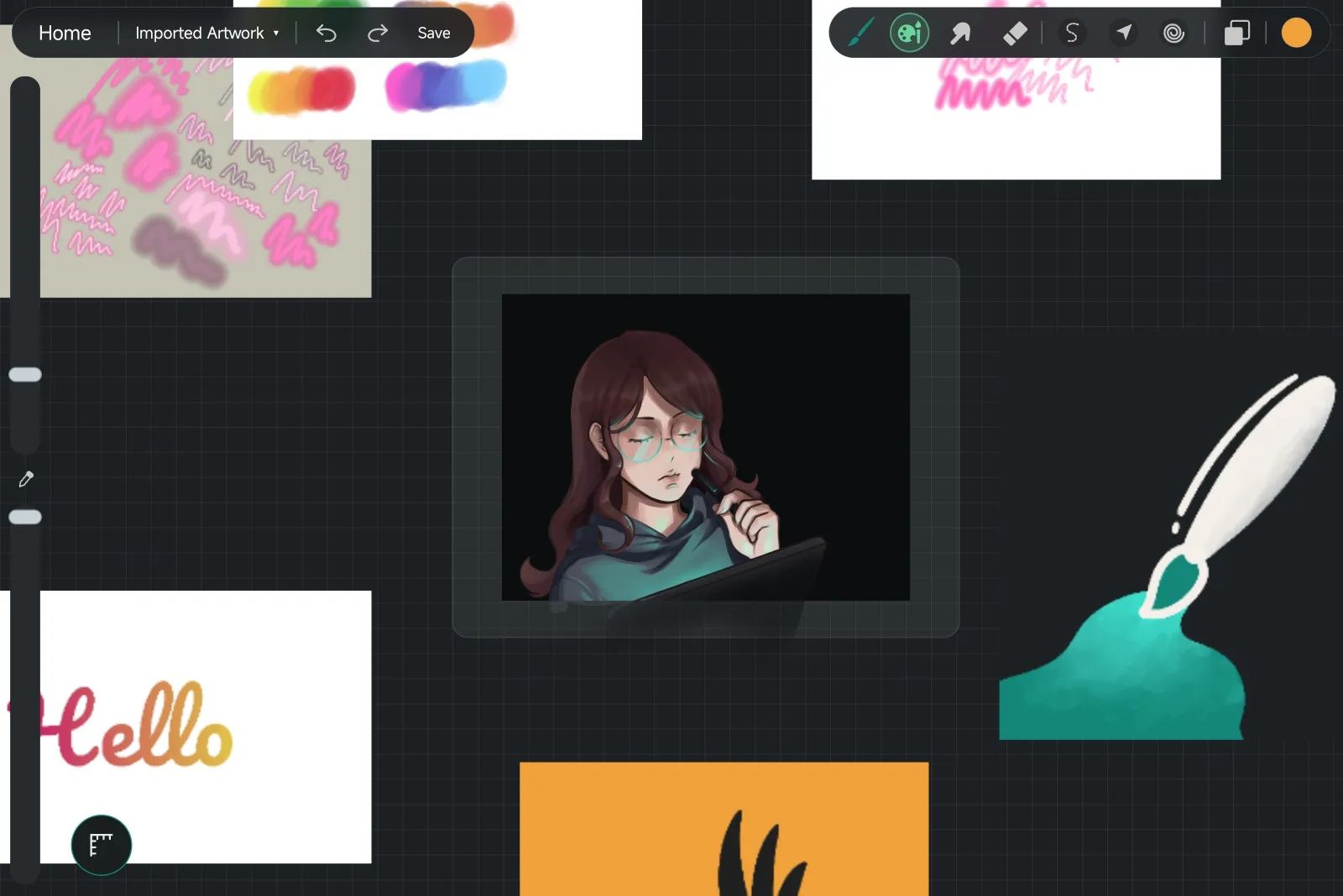
Every artwork on one board. Open Canvas Atlas from the menu and your artworks sit side by side. Arrange them, keep references next to the piece you are drawing, and pick colours from any of them with the eyedropper without switching canvas.
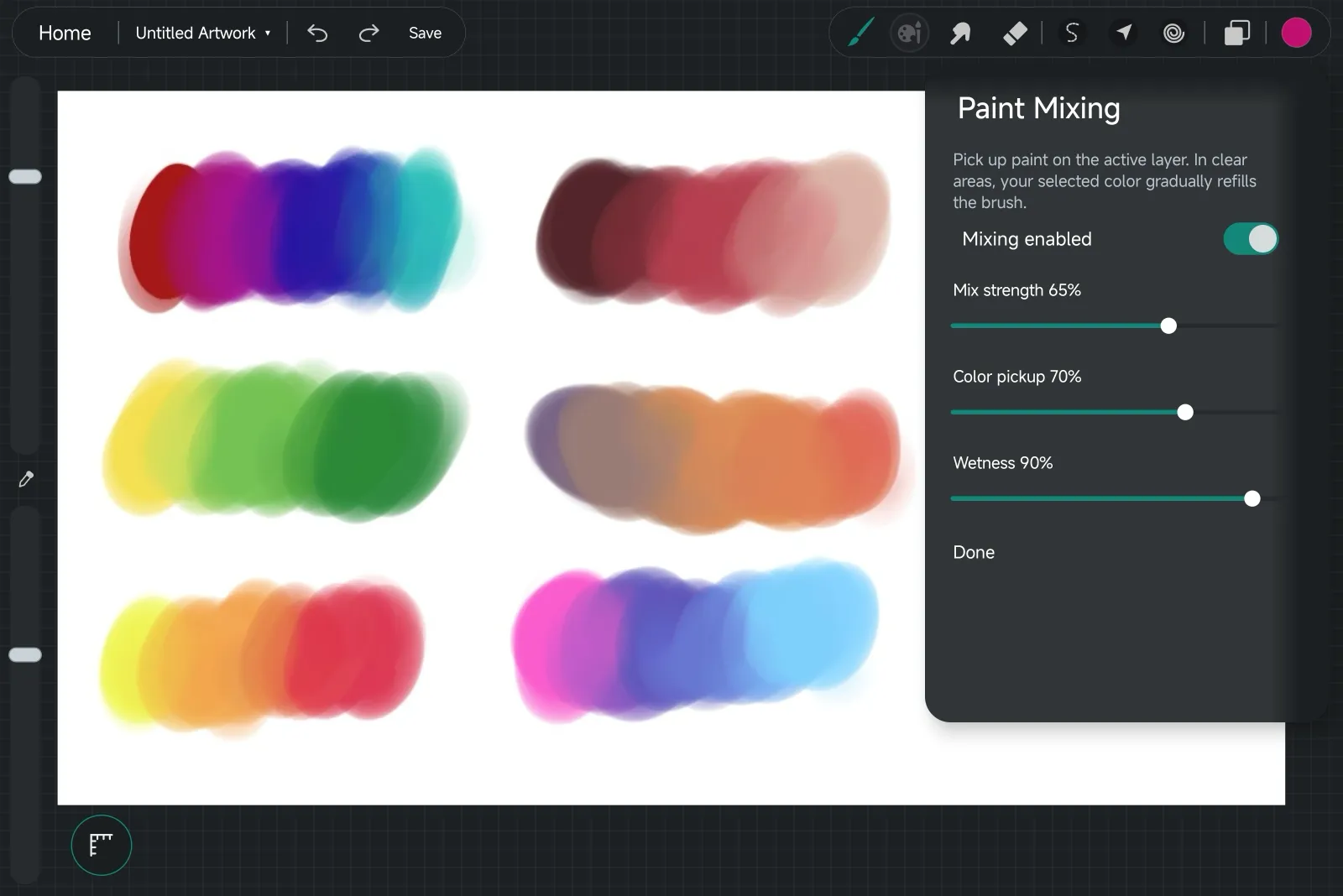
Paint that mixes like paint. Brushes pick up the colour under them and blend it as you drag, like wet paint on paper. Choose how strong the mix is, how much colour the brush lifts and how wet it stays.
Part of Inkstone Pro
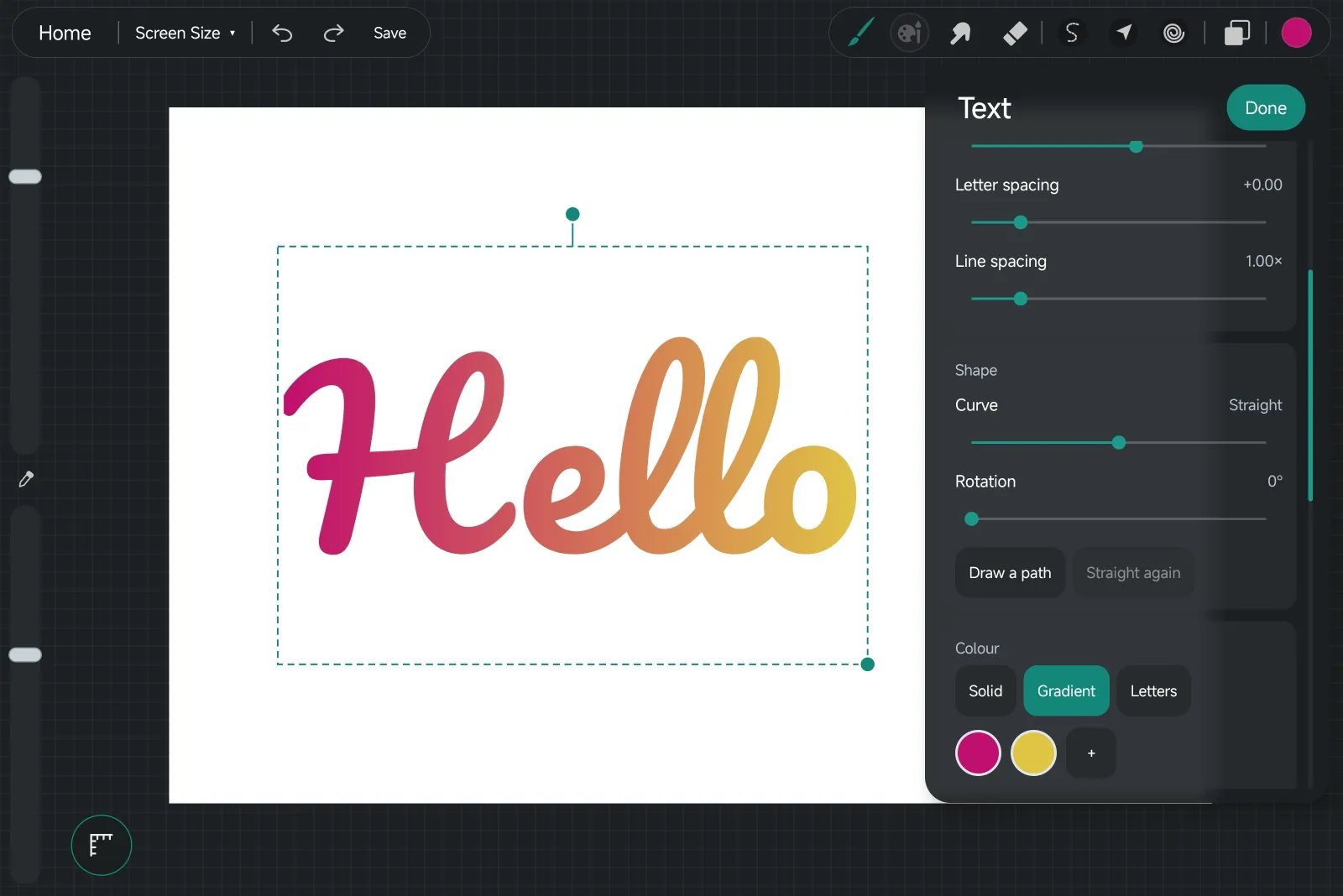
Lettering, bent your way. Add text, curve it or run it along a path you draw, and fill it with a gradient or a colour for each letter. Use the fonts that come with Inkstone, or bring your own .ttf and .otf files.
Your own fonts are part of Inkstone Pro
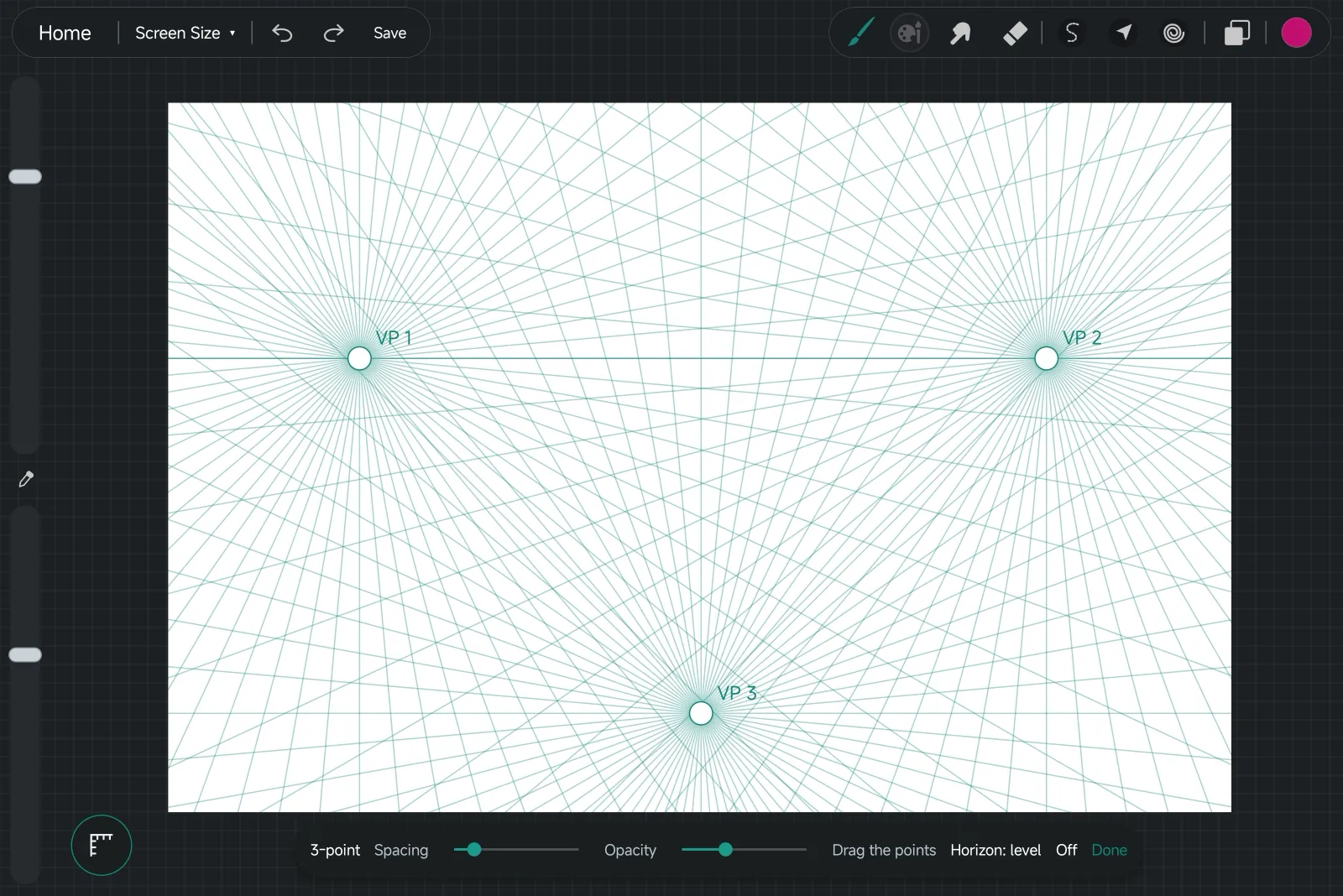
Guides that hold the line. One, two and three point perspective with vanishing points you drag into place, a symmetry line you can move anywhere on the canvas, kaleidoscope symmetry, and rulers for clean straight strokes. Pattern layers repeat one tile across the whole canvas as you draw, or fill it with a photo you place yourself.
Pattern layers are part of Inkstone Pro
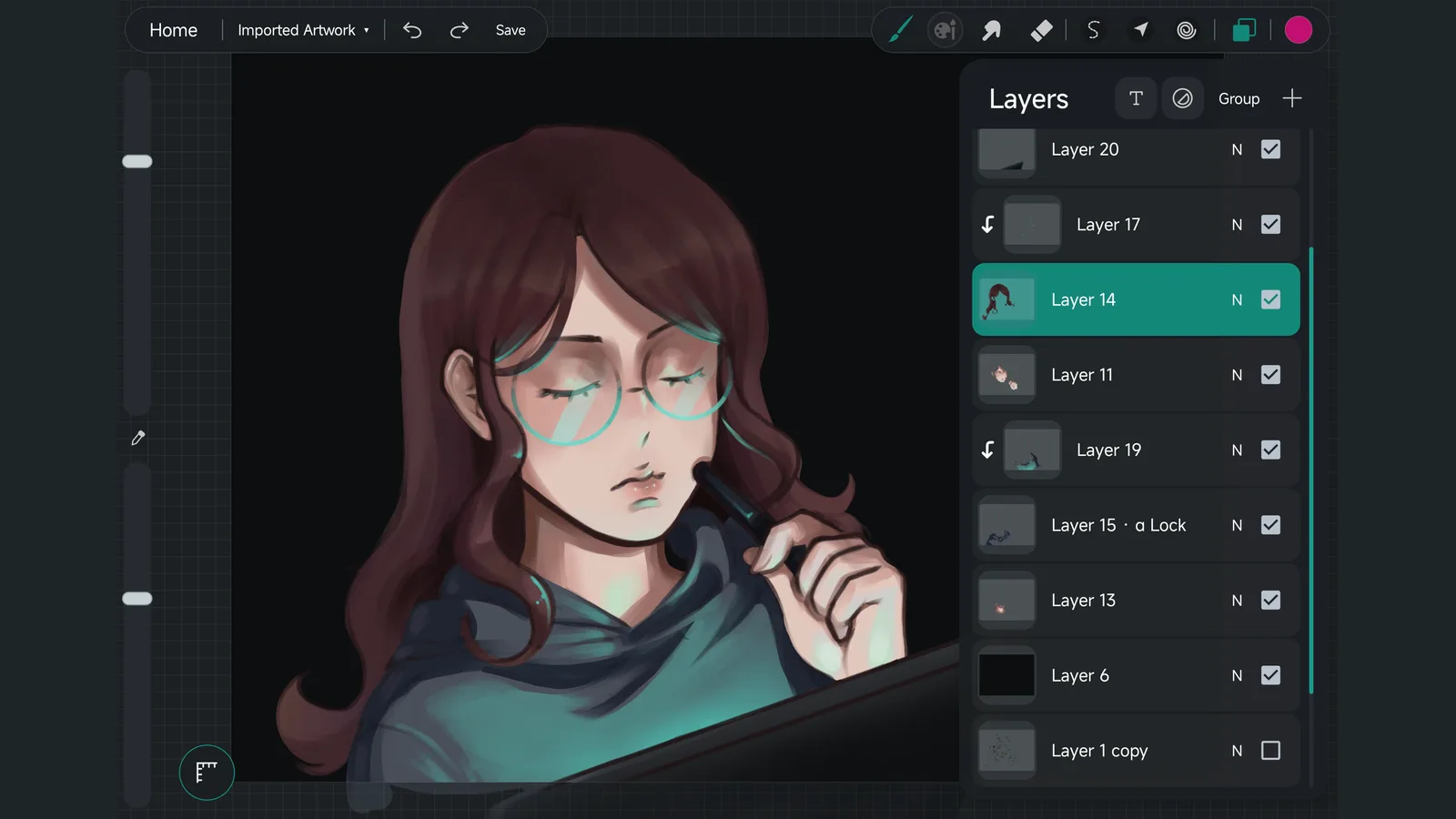
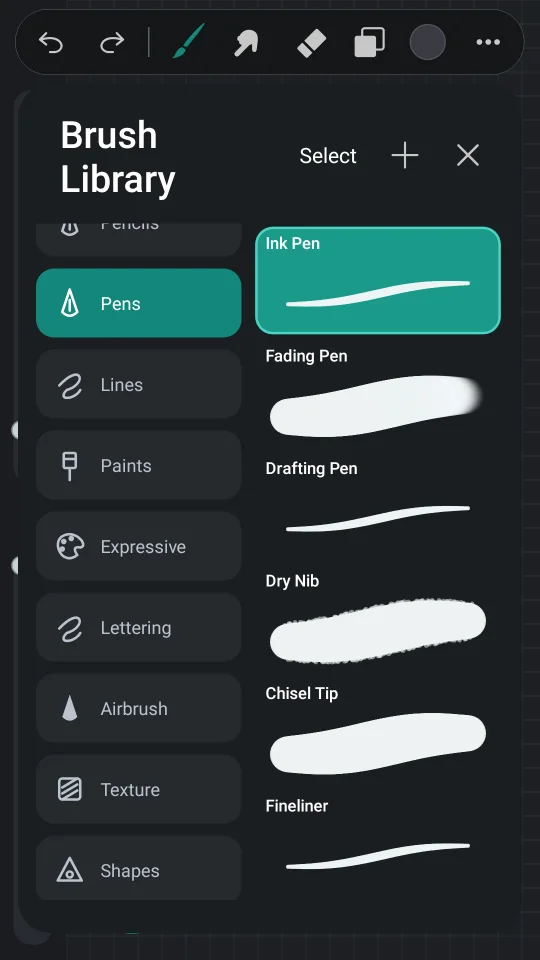
58 brushes for pencils, inks, paint and airbrush, tuned for pressure-sensitive pens. Layers with 26 blend modes, clipping masks and folders. Make your own brushes, or bring your .brush and .brushset files. Export to PNG, JPEG or PSD, or as a time-lapse video.
Inkstone is free to draw with. Pro is one purchase, yours to keep, with no subscription.
Opening price US$3.99, or the local price in your country.
No account. No data collected. Your drawings are saved on your own device, and you can draw without an internet connection. Nothing you make leaves your hands unless you share it, and it will never be used to train AI.
Shaped by the artists who test it. Their reports decide what gets fixed and what gets made next, and every brush and gesture is tuned for a pen on glass.
Start drawing.
Get it onGoogle Play